
Many SC/ST students are confused about how to apply Scholarship Online SC ST students find it complicated, but it is actually just 8 clear steps.
Millions of eligible students never apply because the process looks confusing. They do not know what OTR means. They are not sure which scheme to pick. They worry about uploading the wrong document.
This article removes every confusion. Follow these steps exactly, and your scholarship application will be submitted correctly and on time.
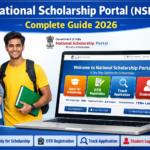
The main portal for all central SC/ST scholarships is: scholarships.gov.in
1. Before You Start — 5 Things to Prepare
Before you open the website, collect everything you need. This saves time and prevents mid-application errors that force you to start again.
| What You Need | Why You Need It |
|---|---|
| Aadhaar Card | Mandatory for OTR registration and identity verification |
| Mobile number linked to Aadhaar | For OTP verification during registration |
| Aadhaar-linked bank account | Scholarship money only reaches Aadhaar-seeded accounts |
| Scanned documents (below 200 KB each) | Caste certificate, income certificate, marksheet, bank passbook |
| Your college’s name and code | Needed to select your institution during application |
Most important check before starting: Is your bank account Aadhaar-seeded? Check with your bank or on the NPCI website. NPCI has launched the Bharat Aadhaar Seeding Enabler (BASE) platform to facilitate Aadhaar Seeding and De-seeding activities in self-service mode for Direct Benefit Transfer (DBT). If your account is not seeded, scholarship money will bounce back even if your application is approved. Fix this first.
2. Step 1 — Unlock Your Aadhaar Biometrics
This is the step most students skip — and it causes OTR failure.
It has been observed in some cases that face authentication for the generation of OTR is failing as the Aadhaar holder has locked their biometrics. Before proceeding with face authentication through the NSP OTR app, ensure that the Biometric Lock/Unlock status is “Unlocked” in your Aadhaar.
How to check and unlock:
- Go to resident.uidai.gov.in
- Click “Lock/Unlock Biometrics”
- Enter your Aadhaar number and OTP
- Check status — if Locked, click Unlock
- Try NSP OTR app again
If you skip this step and your biometrics are locked, the OTR face scan will fail, and you cannot register.
3. Step 2 — Download the NSP OTR App
The NSP OTR app is available on the Google Play Store. You need two apps — not one.
Download both:
- AadhaarFaceRD — Search on Google Play Store, install first
- NSP OTR — Search “NSP OTR” on Play Store, install after AadhaarFaceRD
The NSP OTR App uses Aadhaar Face RD Services to authenticate users from UIDAI. External biometric devices are not required to perform face authentication.
If you do not have an Android phone, go to the nearest Common Service Centre (CSC). NSP services are now available at CSCs. Students can avail scholarship-related services by visiting the nearby CSC.
4. Step 3 — Complete OTR Registration
One Time Registration (OTR) is a unique 14-digit number issued based on the Aadhaar/Aadhaar Enrolment ID (EID) and is applicable for the entire academic career of the student. OTR simplifies the scholarship application process, thereby eliminating the need of registration in each academic year.
You do this only once — for your entire student life.
Steps:
- Open the NSP OTR App on your phone
- Enter your Aadhaar number
- Verify the OTP sent to your Aadhaar-linked mobile
- Complete face scan using your phone’s front camera (AadhaarFaceRD does this)
- Your 14-digit OTR number appears on screen
- Write it down immediately. Screenshot it. Save it in notes. This is your permanent scholarship ID.
5. Step 4 — Log in to NSP Portal
Go to scholarships.gov.in on your phone or computer.
- Click the “Student” tab at the top
- Click “Login”
- Enter your 14-digit OTR ID
- Enter your password (set during OTR registration)
- Enter the captcha code
- Click Login
You are now inside your scholarship dashboard.
Forgot password? Click “Forgot Password” on the login page. Verify with OTP on your registered mobile number.
6. Step 5 — Select Your Scholarship Scheme
This is where many students make mistakes — picking the wrong scheme.
On your dashboard, click “Apply for Scholarship.” The portal shows a list of schemes you are eligible for based on your category and state.
For SC students: Select “Post Matric Scholarship for SC Students” for Class 11 and above.
For ST students: Select “Post Matric Scholarship for ST Students” — managed by Ministry of Tribal Affairs, parental income from all sources should not exceed Rs. 2.50 lakhs per annum.
For OBC students: Select “PM YASASVI Post Matric” or “Pre Matric” based on your level.
Use the Eligibility Filter: Click “Scheme Eligibility” on the homepage. Enter your state, category, course level, and income. The portal will show every scheme you qualify for. This is the safest way to avoid picking the wrong one.
Important rule: Applying for the Central Sector Scholarship Scheme does not allow concurrent scholarships. You can only avail one government-funded scholarship at a time. If you are already receiving one scholarship, do not apply for another that covers the same costs.
7. Step 6 — Fill the Application Form
After selecting your scheme, the application form opens. Fill it carefully — once submitted, no changes can be made. Additionally, submitting multiple applications will result in disqualification.
What to fill:
| Section | What to Enter |
|---|---|
| Personal Details | Name (exactly as on Aadhaar), date of birth, gender, mobile, email |
| Category Details | SC or ST — select correctly |
| State of Domicile | The state where you permanently reside |
| Academic Details | Course name, year, institution name, institution code |
| Bank Details | Account number, IFSC code, bank name — Aadhaar-seeded account only |
| Family Income | Enter exact annual income from all sources |
Pro tip: Double-check the account number digit by digit. The most common rejection reason is entering the wrong account number.
8. Step 7 — Upload Documents
Upload clear, readable scans of all required documents. File format must be PDF or JPEG. Each file must be below 200 KB.
Documents to upload:
| Document | Notes |
|---|---|
| Aadhaar Card | Clear scan of front and back |
| SC / ST Caste Certificate | Valid — issued by Tehsildar or SDM |
| Income Certificate | Current year only — all family income sources |
| Previous Year Marksheet | Last qualifying exam result |
| Bank Passbook (first page) | Shows account number and name — must match Aadhaar name |
| Admission/Enrollment Proof | Current year fee receipt or ID card |
| Domicile Certificate | For state-level scholarship verification |
Compress your files for free at: tinypng.com (images) or ilovepdf.com (PDFs)
Incomplete or incorrect documents may lead to rejection. Frequent issues include: mismatched name/date of birth across Aadhaar and certificates, unclear scans, wrong scheme selection, invalid income/caste proofs, or a bank account not Aadhaar-seeded.
9. Step 8 — Submit and Follow Up With College
After uploading, preview your form one final time. Then click “Final Submit.”
The portal generates your Application ID. Save it immediately. Print the acknowledgement receipt. You need this number for all future tracking.
Now — the most important step most students skip:
Walk to your college’s scholarship coordinator the same day. Tell them your Application ID and say, “Please verify my scholarship application before the deadline.”
Your application passes through institute-level and department-level verification. After submission, the application passes through institute verification (L1 — done by the college), district or state verification (L2 — done by the government). If your college does not verify on time, your application fails even if everything else is perfect.
Follow up with your college every week until your status shows “Institute Verified.”
10. How to Apply SC ST Scholarship in Karnataka (SSP)
Karnataka students have an additional step — you must apply on the SSP portal separately for state scholarships.
Portal: ssp.postmatric.karnataka.gov.in
It is mandatory for OBC, SC and ST students to complete OTR through the National Scholarship Portal (NSP) before applying for the Karnataka SSP Scholarship. Your NSP OTR number is needed to link your SSP application.
Karnataka-specific requirements:
- Must have a valid SATS ID (Student Achievement Tracking System — given by your school/college)
- Enter your Aadhaar number — name must match school records exactly
- SC/ST engineering and medical students qualify with an income of up to ₹10 lakh
SSP last date for engineering/medical students 2025-26: January 31, 2026 (already passed — apply for 2026-27 when portal opens mid-2026)
SSP Karnataka Helpline: 1902
11. How to Check Your Scholarship Status
Check your status regularly after submitting. Applications move through multiple verification stages.
Method 1 — NSP Portal: Go to scholarships.gov.in → Login → “Track Application Status”
Method 2 — PFMS Payment Check: Go to pfms.nic.in → “Know Your Payment” → Enter your bank account number or Aadhaar
| Status | What It Means | What to Do |
|---|---|---|
| Submitted | Received — awaiting college | Log in, read the reason, and correct immediately |
| Institute Verified | Log in, read the reason, correct immediately | Wait for L2 verification |
| Approved | Sanctioned — payment processing | Check PFMS in 5 days |
| Defective | Error found | Log in, read the reason, and correct immediately |
| Rejected | Not approved | Read reason — appeal or re-apply |
If the status is “Defective,” log in to NSP immediately and read the exact reason. You have a limited correction window. Do not miss it.
12. SC ST Scholarship Helpline Number
If you face technical issues, login errors, or payment problems — contact:
| Support | Contact |
|---|---|
| NSP National Helpdesk | 0120-6619540 |
| NSP Email | helpdesk@nsp.gov.in |
| NSP Live Chat | Available on scholarships.gov.in |
| Common Service Centre | Visit nearest CSC in your area |
| Karnataka SSP Helpline | 1902 |
| Maharashtra MahaDBT Helpline | 022-49150800 |
Before calling: Note your Application ID, OTR number, registered mobile number, and a screenshot of the problem. This speeds up the resolution.
13. Frequently Asked Questions
How to apply SC ST scholarship online?
Go to scholarships.gov.in. Complete OTR registration using your Aadhaar and the NSP OTR App — this gives you a 14-digit permanent ID. Log in, select your eligible scheme (Post Matric Scholarship for SC or ST), fill in all personal and academic details, upload your caste certificate, income certificate, marksheet, and bank passbook. Submit and follow up with your college for institute verification. Check the status at pfms.nic.in after approval.
How to apply for SC ST scholarship in Karnataka online?
Karnataka SC/ST students apply in two places. First, complete OTR on NSP at scholarships.gov.in. Then go to ssp.postmatric.karnataka.gov.in, log in with your SATS ID, and apply for the SSP Karnataka state scholarship. Your NSP OTR number is needed for the SSP application. SC/ST engineering and medical students can qualify with a family income up to ₹10 lakh under SSP. Check ssp.postmatric.karnataka.gov.in for the current last dates.
What is the SC ST scholarship helpline number?
The national NSP helpdesk number is 0120-6619540. Email: helpdesk@nsp.gov.in. For Karnataka SSP scholarship: 1902. For Maharashtra MahaDBT: 022-49150800. You can also visit your nearest Common Service Centre (CSC) for in-person scholarship application help — NSP services are available at all CSCs across India.
What is OTR and why do I need it?
OTR (One Time Registration) is a unique 14-digit number issued based on your Aadhaar. It is generated once and stays with you for your entire student life — from Class 9 to PhD. You need OTR before you can apply for any scholarship on NSP. Generate it using the NSP OTR App on Google Play (requires AadhaarFaceRD app). If your Aadhaar biometrics are locked, unlock them at resident.uidai.gov.in before using the app.
Can I apply for multiple scholarships on NSP?
You can apply for multiple schemes, but most central scholarships do not allow concurrent benefits — meaning you cannot receive two scholarships that cover the same expense (e.g., both covering tuition). Always read each scheme’s guidelines carefully. A safe rule: apply for one Post Matric or Pre Matric scholarship for your tuition/maintenance, and check if any additional scheme like Central Sector Scholarship or AICTE Pragati can be added without conflict.
Conclusion
Applying for your SC/ST scholarship online involves 8 steps. Not 80. Not complicated. Just 8 clear steps that take about 2 hours total — if you have your documents ready.
The only step that trips students up is Step 8 — following up with your college. Most applications fail not because students filled things wrong, but because the college never verified them in time. Walk to your scholarship coordinator. Do not email. Go in person.
Dr. B.R. Ambedkar built the Constitution so that no SC/ST student would have to choose between education and poverty. These scholarships are that promise made real — in rupees, directly into your bank account.
Your two actions right now:
Right now: Go to resident.uidai.gov.in — check your Aadhaar biometric lock status and unlock if needed.
Today: Download the NSP OTR App and generate your OTR number. It takes 15 minutes and opens every scholarship in India.
Jai Bhim. 🙏